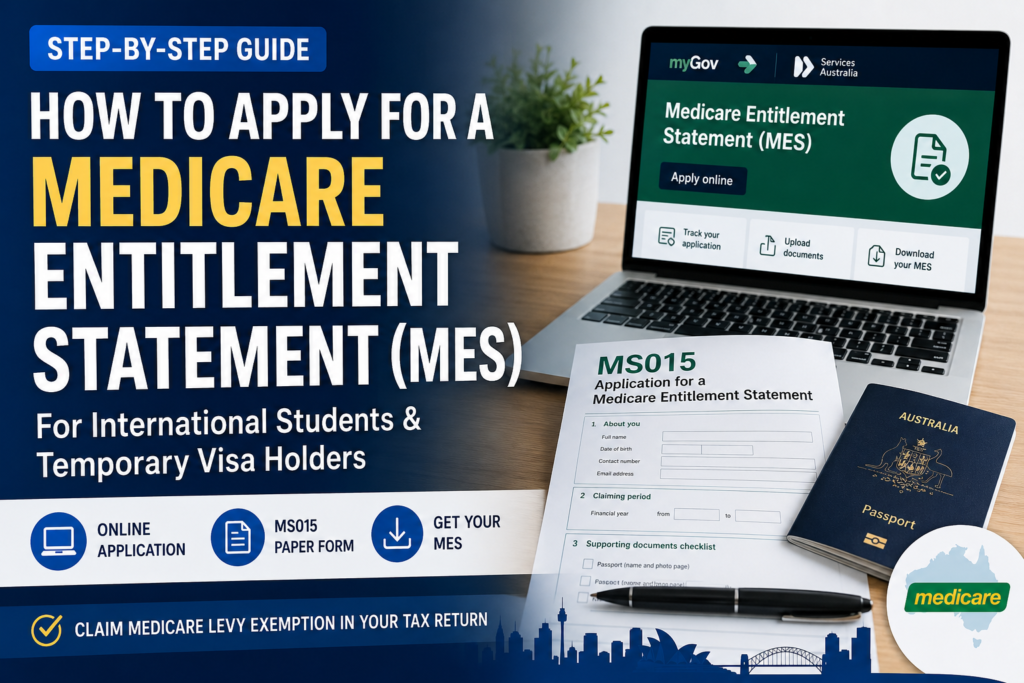
Need a Medicare Entitlement Statement (MES) for your tax return? Follow the steps below to prepare, apply and provide the completed statement to your registered tax agent.
Reviewed 4 August 2026 against current Services Australia and Australian Taxation Office guidance.
Apply for an MES in 5 steps
- Check the financial year and timing. Applications generally open on 1 July for the financial year that has just ended.
- Prepare your documents. Have a clear copy of your passport photo page and any visa, residency or health-cover evidence relevant to you.
- Choose how to apply. Use the MES dashboard through myGov and the IHI service where possible. A separate online application and the MS015 form are also available.
- Complete, check and submit. Select the correct year, answer every relevant question, attach clear documents and save your reference details.
- Track the application and use the statement. Respond to requests from Services Australia, check the dates when your MES arrives and provide it to your tax agent.
Allow enough time: Services Australia advises that applications lodged from July to November may take up to 8 weeks.
Step 1: Check the financial year and timing
- Applications generally open on 1 July for the financial year that has just ended.
- For 2025–26, select the period from 1 July 2025 to 30 June 2026.
- You need a separate MES for each financial year for which you want to claim an exemption.
- Applications submitted before 1 July generally cannot be accepted or processed unless you are leaving Australia.
- If you are leaving Australia, Services Australia says you may apply for the current financial year up to 4 weeks before departure. Processing occurs after you leave.
Step 2: Prepare your documents
You or your tax agent must provide a clear copy of the name and photo page of your passport. Depending on your circumstances, Services Australia may also request:
- Your current visa or visa details
- Home Affairs letters about a permanent residency application and its outcome
- Evidence of an appeal or requested ministerial intervention
- A European Health Insurance Card or other health-insurance evidence, where relevant
For online uploads, documents should be clear and in PDF, JPG, PNG, GIF or BMP format. Each file must be under 5 MB and all files together must be under 10 MB. Do not upload password-protected PDFs, WinZip files or RAR files.
Step 3: Apply online
The MES dashboard is the most useful option if you can access it because you can submit the application, track progress, provide requested documents and download the completed statement.
Route A: MES dashboard through myGov and the IHI service
- Sign in to your myGov account.
- Open View and link services.
- Link or open the Individual Healthcare Identifiers (IHI) service.
- Create or verify your IHI if prompted. You must be in Australia when applying for an IHI so your identity can be verified.
- Open the Medicare Entitlement Statement dashboard and start a new application.
- Select the correct financial year.
- Complete the questions about your identity, travel document, visa, Medicare eligibility, permanent residency applications and health cover where relevant.
- Upload the requested documents, review every answer and submit.
- Save your reference details and use the dashboard to track the application.
Route B: Separate online MES application
If you cannot use the MES dashboard, Services Australia also provides a separate online application. This route is available from 1 July for the previous financial year. Open the official guidance below and choose the online application option shown by Services Australia.
Step 4: Use the MS015 form if needed
Use the MS015 – Application for a Medicare Entitlement Statement form if you cannot apply online or if your tax agent is preparing the application. Your tax agent may complete the form, but you must complete the applicant declaration.
- Download the latest MS015 form from Services Australia.
- Enter your details exactly as they appear on your passport and complete every relevant question.
- Attach the passport name and photo page plus any visa, permanent residency, appeal or insurance evidence requested.
- Read and complete the applicant declaration.
- Keep a full copy of the application and supporting documents.
- Use the submission address printed on the current form. Check it before sending because details can change.
Step 5: Track the application and use your MES
- Services Australia assesses your Medicare eligibility for the requested dates.
- Respond promptly if you are asked for additional information or clearer documents.
- If you used the dashboard, track the application and upload requested documents there.
- When the MES arrives, check your name, financial year and Medicare-ineligible dates.
- Download or save the completed statement and provide it to your registered tax agent.
- Keep a copy with your tax records.
If you need help with an MES application, the Services Australia MES line is 1300 300 271, Monday to Friday, 8:30 am to 5 pm AEST. Check the official contact page before calling because opening hours can change.
Who may need a Medicare Entitlement Statement?
You may need an MES if you were not eligible for Medicare for all or part of the income year and want to claim the related Medicare levy exemption in your tax return. This often affects temporary residents, including some international students and temporary visa holders, but eligibility depends on your actual Medicare status and dates.
An MES is not the same as a Medicare card, private health insurance or a visa grant notice. It is the statement Services Australia issues after assessing your Medicare eligibility for the requested financial year.
Important: An MES does not automatically mean the ATO will allow the exemption. For a full category 3 exemption, your spouse and other dependants may also need to be in an exemption category for the relevant period. Ask your registered tax agent to check your complete circumstances.
Do you need an MES if your income is low?
For the 2025–26 income year, the Medicare levy low-income threshold for a single taxpayer who is not entitled to the seniors and pensioners tax offset is $28,011. If your taxable income is at or below that threshold, no Medicare levy is generally payable under the individual low-income test.
That figure is not a universal cut-off. Different thresholds and rules can apply if you have a spouse, dependent children, family income considerations or entitlement to the seniors and pensioners tax offset. A low-income reduction and a Medicare levy exemption are also different calculations. Confirm your position before deciding not to apply.
Common MES mistakes to avoid
- Applying too early: wait until applications open on 1 July unless the leaving-Australia exception applies.
- Assuming no Medicare card means no Medicare eligibility: Services Australia assesses entitlement, not whether you happened to hold a card.
- Selecting the wrong year: check the dates before submitting.
- Uploading unreadable or protected files: use clear, accessible documents within the stated file limits.
- Ignoring spouse or dependant circumstances: these can affect the ATO exemption outcome even if Services Australia issues your MES.
- Lodging before the MES is ready: your tax agent may need the statement and approved dates to complete the Medicare levy section correctly.
Ready to prepare your 2025–26 tax return?
Complete the Best Tax Return online form and include your MES where it applies. A registered tax agent will review your information and confirm the fee before lodgement.
Official information
- Services Australia: How to get a Medicare Entitlement Statement
- Services Australia: Medicare and tax
- Services Australia: MS015 form
- Australian Taxation Office: Medicare levy exemption
Important: Services Australia decides whether to issue an MES. The ATO makes the final decision about your Medicare levy exemption.
Disclaimer: This article provides general information only and is not personal tax, legal, immigration or Medicare advice. Thresholds, forms and procedures can change. Check the linked government guidance and obtain advice for your circumstances before lodging.
Have a question or something useful to add? Join the discussion below. Your email address will not be published.